Cyber Vulnerability Scanning: Unlocking SME Resilience


Every IT manager and compliance officer in the finance or legal sector knows that a single missed weakness can trigger disaster. Proactively searching for vulnerabilities before an attacker does is more than just good practice, it is an expectation from clients and regulatory bodies across the United Kingdom. By embracing cyber vulnerability scanning, you identify risks early, support compliance with standards like Cyber Essentials and ISO 27001, and strengthen your position against evolving threats facing modern British SMEs.
Table of Contents
Key Takeaways
Point | Details |
Proactive Defence | Cyber vulnerability scanning is essential for identifying security weaknesses before they are exploited, enabling timely remediation and cost-effective measures. |
Regulatory Compliance | Regular vulnerability scanning is a legal requirement in the finance and legal sectors, crucial for demonstrating due diligence and compliance with standards like ISO 27001 and Cyber Essentials. |
Continuous Process | Scanning should be a regular activity incorporated into your security strategy, with continuous updates to adapt to new vulnerabilities emerging daily. |
Layered Security Approach | Combine vulnerability scanning with other security measures and training to comprehensively address potential threats and improve overall resilience against cyber attacks. |
Defining Cyber Vulnerability Scanning
Cyber vulnerability scanning is your proactive first line of defence against attacks. It’s the automated process of systematically identifying security weaknesses in your networks, systems, and applications before threat actors can exploit them.
Think of it like a structural surveyor inspecting a building before problems become expensive repairs. Rather than waiting for a breach, you’re actively searching for weak points so your team can fix them first.
What Vulnerability Scanning Actually Does
Cyber vulnerability scanning encompasses the systematic identification of weaknesses using automated detection tools that reference databases of known vulnerabilities. Your scanning tools compare your actual system configurations against thousands of documented weaknesses.
When a match is found, the scanner alerts your team with severity ratings and recommended fixes. This happens continuously, not as a one-off audit.
The process identifies three main categories of weaknesses:
Configuration weaknesses: Systems set up with default passwords or unnecessary services running
Software vulnerabilities: Unpatched applications or outdated libraries with known exploits
Missing security controls: Absent firewalls, encryption, or access restrictions
Effective scanning catches vulnerabilities early when they’re cheapest and easiest to fix, rather than during an expensive incident response.
Why This Matters for Finance and Legal Firms
Your sector faces unique pressures. Client data protection isn’t optional - it’s contractual and regulatory. Clients now explicitly require proof of active vulnerability management before awarding contracts.
Regulatory bodies expect documented evidence that you’re actively scanning. ISO 27001:2022 mandates vulnerability assessment as a core control. Cyber Essentials Plus requires automated scanning as part of your compliance package.
Breach costs in your sector exceed £4 million on average, including reputational damage and client losses.
How Scanning Fits Into Your Security Strategy
Vulnerability scanning isn’t a standalone activity - it’s one layer of your overall defence strategy:
Scanning identifies what exists
Assessment determines which vulnerabilities pose actual risk to your business
Remediation fixes the highest-priority issues
Verification confirms fixes worked
Repeat continuously as new vulnerabilities emerge daily
This cycle never stops. Your team runs scans weekly or monthly, depending on your environment’s complexity and risk profile.
The Role of Accurate Threat Intelligence
Scanning tools rely on threat intelligence databases to work effectively. New vulnerabilities are disclosed constantly - on average, 50+ per day across all software types.
Your scanning tool must stay current with these disclosures or it becomes obsolete within weeks. This is why automated updates are critical, not optional.
Internal vs External Scanning
Effective programmes include both perspectives:
Internal scans: Check your network from within, identifying what employees and systems can access
External scans: Simulate attacker reconnaissance, checking your public-facing assets from the internet
Both reveal different weaknesses. External scans find exposed services; internal scans catch misconfigurations your employees might accidentally create.
The following table summarises the differences and benefits of internal and external vulnerability scanning:
Aspect | Internal Scanning | External Scanning |
Perspective | Simulates insider access | Mimics external attacker view |
Typical Findings | Misconfigurations, unnecessary access | Exposed systems, open internet services |
Risk Focus | Insider threats, accidental misuse | Unauthorised external exploitation |
Recommended Frequency | Monthly or more often | Quarterly or after major changes |
Example Weaknesses Found | Weak internal permissions, default settings | Unsecured portals, outdated public apps |
Pro tip: Start with monthly internal and quarterly external scans, then increase frequency as your team gains confidence interpreting results. The key is consistency—regular scans establish baselines that reveal trends.
Types of Vulnerability Scans for SMEs
Not all vulnerabilities hide in the same places. Your finance or legal firm runs networked systems, cloud services, web portals, and individual workstations—each requiring different scanning approaches.
Understanding which scan type addresses which risk is critical. Running the wrong scan wastes time and misses genuine threats.
The Core Scan Categories
Vulnerability scanning divides into network-based, host-based, and application-based scans, each targeting different infrastructure layers. Your firm likely needs all three working together rather than choosing one.
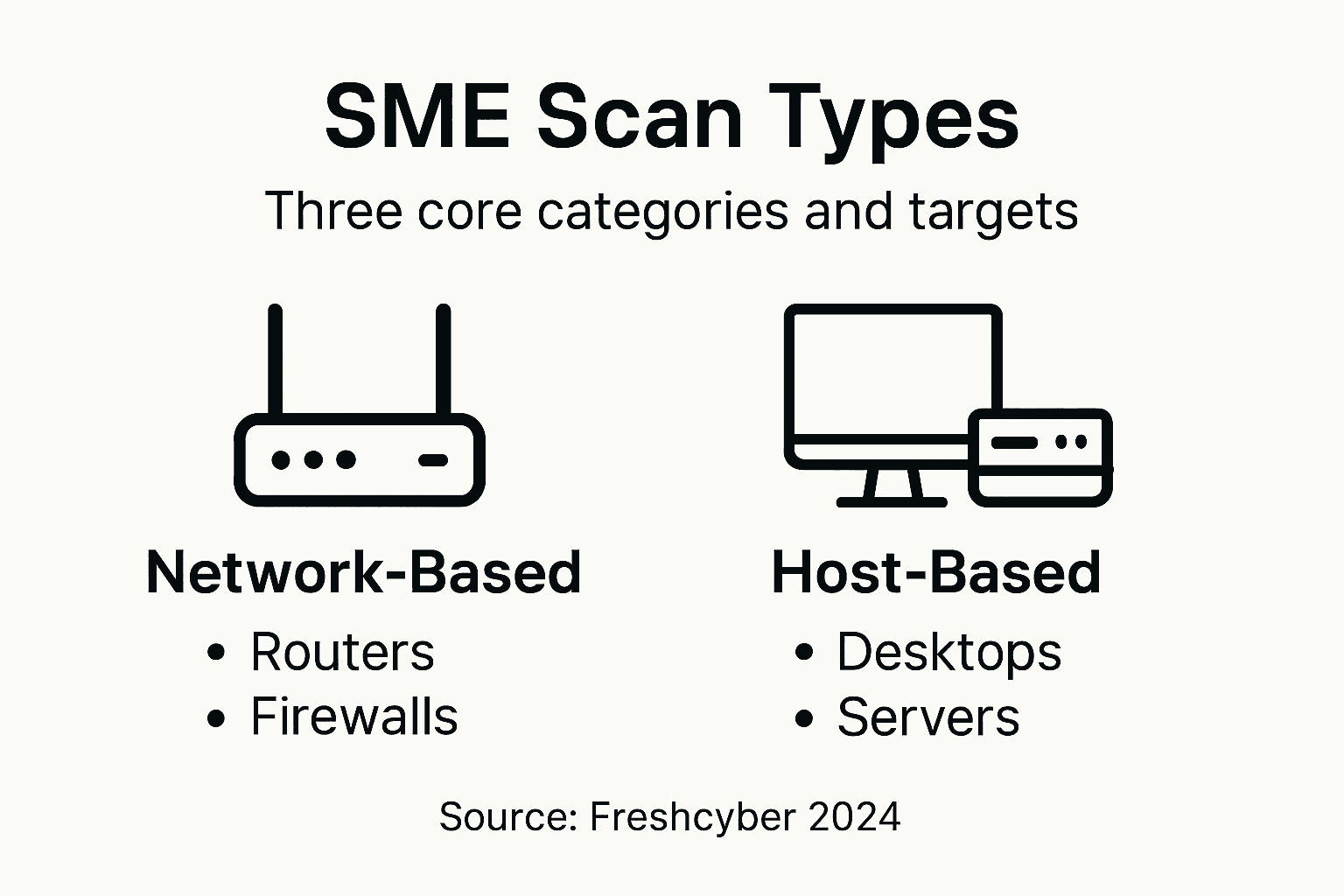
Network-based scans examine routers, switches, firewalls, and connected devices. They identify open ports, weak protocols, and misconfigured network services that attackers could access remotely.
Host-based scans inspect individual servers and workstations for missing patches, outdated software, and configuration drift. A single unpatched workstation is often how ransomware enters legal firms.
Application-based scans assess your web portals, APIs, and bespoke software for common flaws like SQL injection, cross-site scripting, or weak authentication.
Authenticated vs Unauthenticated Scans
The depth of scanning depends on access level. Unauthenticated scans simulate external attacks - what a threat actor sees from the Internet. They’re crucial for understanding your external attack surface.
Authenticated scans use valid credentials to scan from within your network. They reveal configuration weaknesses that internal users might exploit, either accidentally or maliciously.
Both matter. An unauthenticated scan might miss vulnerabilities visible only after login; an authenticated scan won’t catch what outsiders could exploit.
Specialised Scan Types for Your Sector
Beyond the basics, your firm needs two additional categories:
Cloud scans: If you use Microsoft 365, Google Workspace, or AWS, these assess cloud-specific configurations and access controls
Compliance scans: Directly map vulnerabilities against ISO 27001:2022, Cyber Essentials Plus, and GDPR requirements
Compliance scans are particularly valuable for SMEs preparing for client audits or tenders. They automatically track which vulnerabilities block your certification status.
Different scan types reveal different risks. A network scan won’t catch unpatched software; an application scan won’t find open ports. Your strategy needs all three.
How SMEs Approach Scan Selection
Start by mapping your actual infrastructure. List your assets:
Network devices (firewalls, routers, switches)
Servers and workstations running Windows, Linux, or macOS
Web applications and APIs
Cloud services and SaaS subscriptions
Databases and data storage
Each asset type needs appropriate scanning. A finance firm with cloud-hosted accounting software, Microsoft 365 email, internal case management servers, and client portals needs all four scan types running regularly.
Here is a quick reference for mapping vulnerability scan categories to typical SME assets:
Scan Category | Targeted Assets | Sample Risks Detected |
Network-based | Routers, firewalls, switches | Open ports, insecure protocols |
Host-based | Workstations, servers, laptops | Missing patches, outdated OS, misconfigurations |
Application-based | Web portals, APIs, bespoke apps | Injection flaws, weak logins |
Cloud/Compliance | SaaS (Microsoft 365, AWS), audits | Misconfigurations, compliance gaps |
Implementation Timeline
You don’t need every scan type simultaneously. Phase them in based on risk:
Start with network and host scans (your core infrastructure)
Add application scans for client-facing systems within 2–3 months
Implement cloud scans if using SaaS platforms
Layer in compliance scans once baseline scanning is established
This phased approach prevents scanner overload while building your vulnerability management programme sustainably.
Pro tip: Schedule network and host scans during low-traffic periods - typically nights or weekends - to avoid disrupting your team. Compliance scans can run continuously without impact, so automate them immediately.
How Vulnerability Scanning Works in Practice
Theory is one thing. But what actually happens when your IT team runs a vulnerability scan? Understanding the practical workflow helps you interpret results and avoid common mistakes.

The process sounds simple but requires discipline at each stage. Skip a step, and you’ll accumulate false positives or miss critical vulnerabilities.
Step 1: Build Your Asset Inventory
Before scanning, you must know what you’re scanning. This means documenting every system, device, and application connected to your network or cloud environment.
Your inventory should include:
IP addresses and hostnames of servers
Cloud services and their configurations
Web applications and APIs
Network devices (firewalls, routers, switches)
Workstations and laptops
Databases and storage systems
Third-party integrations
Most SMEs skip this step and wonder why scanning misses critical assets. Without a complete inventory, you’re flying blind.
Step 2: Select and Configure Scanning Tools
Vulnerability scanning involves selecting appropriate scanning tools and configuring them for your specific environment. Different tools excel at different tasks - there’s no single “best” scanner.
Configuration matters enormously. A misconfigured scanner might crash your system, skip important checks, or generate thousands of false positives.
Key configuration decisions include:
Scan intensity (aggressive scans find more but risk service disruption)
Which ports to scan
Authentication credentials for authenticated scans
Exclusion rules to protect critical systems
Reporting parameters
Step 3: Schedule and Execute Scans
You can run scans on-demand when investigating a specific concern, or schedule them regularly. Most SMEs benefit from weekly network scans and monthly application scans.
Scheduling matters. Run intensive scans during maintenance windows - Saturday nights, not Tuesday mornings during client meetings.
Your scanning tool will connect to targets, probe for weaknesses, compare findings against vulnerability databases, and generate a report.
Step 4: Analyse and Prioritise Results
This is where most teams struggle. A single scan can produce hundreds or thousands of findings. Analysing raw output wastes hours.
Prioritisation requires asking three questions:
How severe is the vulnerability (critical, high, medium, low)?
How easily could an attacker exploit it?
What business impact would successful exploitation cause?
A missing patch on an internal-only system ranks lower than an open database accessible from the internet. A medium-severity flaw on your client portal ranks higher than the same flaw on your internal wiki.
Not all vulnerabilities require immediate action. Context matters. A scanning tool can’t understand your business—only you can.
Step 5: Remediate and Verify
Once prioritised, vulnerabilities move to your remediation queue. Your team patches systems, updates configurations, or disables unnecessary services.
After remediation, verify the fix worked. Rescan the patched system to confirm the vulnerability no longer appears.
Document everything: what was vulnerable, when you fixed it, who performed the fix, and when you verified the fix. This evidence proves compliance during audits.
Building a Continuous Cycle
Continuous scanning enables organisations to maintain up-to-date awareness of their risk landscape, integrating findings into vulnerability management and compliance efforts. Scanning happens once, then repeats indefinitely.
New vulnerabilities emerge constantly. Systems drift from intended configurations. Software updates introduce new versions requiring new scans.
Effective programmes treat scanning as continuous background activity, not a quarterly project.
Pro tip: Automate scan scheduling, result collection, and initial prioritisation using your scanning tool’s built-in features. This frees your team to focus on actual remediation rather than administrative work.
Compliance and Legal Requirements in the UK
Vulnerability scanning isn’t optional for UK SMEs in finance and legal sectors. It’s a legal requirement embedded in multiple regulations that govern how you protect client data and business systems.
Ignoring these requirements exposes your firm to fines, contract cancellations, and reputational damage. Understanding what applies to you is the first step toward genuine compliance.
The Core Legal Framework
UK businesses must comply with cybersecurity laws including the Data Protection Act 2018, UK GDPR, and the NIS Regulations 2018. Each has specific implications for vulnerability scanning.
Data Protection Act 2018 requires you to implement appropriate technical measures to protect personal data. Vulnerability scanning demonstrates you’re actively managing security risks.
UK GDPR imposes similar requirements plus mandatory breach notification within 72 hours. Vulnerability scanning reduces breach likelihood significantly.
NIS Regulations 2018 apply if you’re designated a critical infrastructure operator. Financial firms often fall under this classification, triggering stricter requirements.
Specific Requirements for Finance and Legal Firms
Your sector faces heightened expectations. Client agreements typically require proof of vulnerability management before contract award.
Finance firms must comply with:
Financial Conduct Authority (FCA) expectations on vulnerability management
Payment Card Industry Data Security Standard (PCI DSS) if processing cards
Anti-Money Laundering (AML) regulations requiring robust security controls
Legal firms must demonstrate:
Solicitors Regulation Authority (SRA) Standards and Regulations on information security
Client confidentiality protections under common law and professional conduct rules
Data security sufficient for privilege communications and client information
A single compliance failure can lose you major clients. Vulnerability scanning is your evidence of due diligence.
Cyber Essentials and Cyber Essentials Plus
These government-backed certification schemes represent the baseline UK firms should achieve. Cyber Essentials is voluntary but increasingly expected; Cyber Essentials Plus builds on this by including hands-on technical auditing and internal vulnerability scanning as mandatory components.
Many government tenders now require Cyber Essentials Plus certification. Larger enterprise clients use it as a minimum vetting threshold. For SMEs bidding on significant contracts, certification provides a competitive advantage.
ISO 27001:2022 and Your Compliance Position
ISO 27001:2022 is the international information security standard. UK organisations adopting it gain recognition across borders and satisfy multiple regulatory requirements simultaneously.
The Management of Technical Vulnerabilities (Control 8.8) is a mandatory requirement under ISO 27001:2022 Annex A. To satisfy this control, your auditor will expect documented evidence of a systematic process for identifying weaknesses (typically via regular vulnerability scanning), assessing their risk, and applying timely remediation.
Documentation: Your Compliance Evidence
Compliance isn’t just doing the work - it’s proving you did it. Regulatory bodies expect documented evidence showing:
Scanning schedules and frequency
Historical scan reports
Vulnerability prioritisation methodology
Remediation records with timestamps
Verification that fixes worked
Risk acceptance approvals for unresolved findings
Without documentation, you have no compliance defence if questioned.
The Cost of Non-Compliance
UK GDPR fines reach 4% of annual turnover. For SMEs, that’s often £100,000 to £500,000 minimum. Beyond fines, you face:
Contract termination from major clients
Reputational damage from public breach notifications
Legal liability if clients suffer losses from your security failure
Regulatory investigation and enforcement action
Pro tip: Implement scanning now and document everything meticulously. When auditors arrive, your scanning records prove you’ve been managing vulnerabilities systematically rather than reactively.
Risks, Limitations, and Best Practice Advice
Vulnerability scanning is powerful but imperfect. Understanding what it can’t do prevents false confidence and ensures your resilience strategy addresses genuine gaps.
Many SMEs believe scanning alone secures their systems. That assumption creates blind spots that attackers exploit.
The Reality: What Scanning Doesn’t Catch
Scanning identifies known vulnerabilities by comparing your systems against established databases. But new vulnerabilities emerge constantly, and sophisticated attackers find zero-day flaws before researchers document them.
Scanning also misses human weaknesses. A phishing email that tricks your finance director into revealing passwords won’t show up on any scan report. Neither will social engineering, insider threats, or policy violations.
Common Limitations SMEs Face
Research on UK SMEs indicates challenges such as underestimating cyber threats, lack of cybersecurity expertise, and resource constraints that affect vulnerability scanning. These aren’t character flaws—they’re structural realities of smaller firms.
Specific limitations include:
False positives: Scanning reports vulnerabilities that don’t actually affect your system in practice
Scan blindness: Misconfigured scanners miss entire systems or asset classes
Remediation backlogs: Teams identify 500 vulnerabilities but lack resources to fix them all
Alert fatigue: Too many scan results overwhelm your team, causing important findings to be ignored
Scanning gaps: Some systems can’t be scanned without disrupting operations
Scanning tells you what’s broken. It doesn’t tell you how attackers think or what matters most to your business.
The False Confidence Trap
Many firms scan quarterly, see “no critical vulnerabilities found,” and assume they’re secure. Then a breach happens from a vulnerability their scanning tool somehow missed.
This creates dangerous complacency. Scanning is one layer of defence, not the entire defence.
Best Practice: Layered Defence
Effective SME programmes combine scanning with complementary controls:
Technical controls: Firewalls, intrusion detection, endpoint protection alongside scanning
Staff training: Regular security awareness training reduces phishing success rates by 70%
Incident response planning: Prepare for breaches before they happen
Access controls: Limit who can access sensitive data regardless of scanning results
Patch management: Scanning finds unpatched systems; patch management fixes them
Monitoring: Continuous monitoring detects active attacks scanning can’t predict
Scanning Combined with Risk Management
The most resilient SME programmes combine cyber risk assessment with vulnerability management rather than treating them separately. Scanning tells you what’s vulnerable; risk assessment tells you what matters.
A medium-severity flaw on your public website matters more than a critical flaw on an isolated internal system. Context transforms raw scanning data into actionable intelligence.
Realistic Expectations for SMEs
You won’t eliminate all risk. Instead, aim for reasonable assurance:
Regular scanning catches the majority of exploitable weaknesses
Documented remediation proves you’re managing vulnerabilities actively
Defence-in-depth compensates for scanning’s natural limitations
Staff awareness catches threats scanning can’t
Monitoring detects breaches even when vulnerabilities weren’t identified
This combination builds resilience without demanding perfection.
Pro tip: Use scanning results to prioritise fixing what matters most to your business, not everything your scanner reports. A prioritised remediation list of 20 critical issues is more valuable than 500 unactionable findings.
Strengthen Your SME’s Cyber Resilience with Expert Vulnerability Management
The challenge for finance and legal SMEs is clear: navigating complex vulnerability scanning requirements while avoiding the false confidence trap described in the article. Regular, thorough scanning is essential, yet many firms struggle with overwhelming results, compliance evidence, and prioritising remediation effectively. This is where Freshcyber steps in to transform vulnerability scanning from a technical chore into a strategic advantage. Our approach turns compliance into currency, ensuring your firm not only meets but exceeds sector-specific standards like Cyber Essentials Plus and ISO 27001:2022.

Take control today by partnering with Freshcyber. Benefit from our Vulnerability Management expertise combined with tailored support for SME Security and comprehensive Compliance management. Don’t wait for costly breaches or audit failures to force your hand. Visit Freshcyber now to discover how our Compliance Currency Engine and vCISO-led service can make vulnerability scanning a seamless pillar of your digital resilience journey.
Frequently Asked Questions
What is cyber vulnerability scanning?
Cyber vulnerability scanning is an automated process used to identify security weaknesses in networks, systems, and applications. It proactively searches for vulnerabilities before attackers can exploit them.
Why is vulnerability scanning important for SMEs?
Vulnerability scanning is crucial for SMEs as it helps protect sensitive client data, ensures compliance with regulatory requirements, and prevents costly breaches. Regular scanning demonstrates active vulnerability management to clients and regulators alike.
How often should vulnerability scans be conducted?
The frequency of vulnerability scans depends on the complexity and risk profile of your environment. Generally, network scans should be conducted at least weekly, while application scans may be performed monthly. Internal scans are recommended more often than external ones.
What are the main types of vulnerability scans?
The main types of vulnerability scans include network-based scans, host-based scans, and application-based scans. Each type targets different layers of infrastructure, identifying specific vulnerabilities unique to each layer.
Recommended
Comments